Your FileMaker solution,
rebuilt for the web.
Convert your FileMaker file into a web app, with no coding on your side. Upload a .fmp12 file: fmNext analyses every table, layout, script and privilege set, rebuilds it as a modern web app with your data and users, deploys it — and keeps improving it when you ask. Under the hood, AI works inside a specialised harness built for FileMaker conversions.
Not satisfied? 30-day money-back guarantee.
$ fmnext convert invoices.fmp12
✓ catalog     14 tables · 212 fields · 38 layouts · 96 scripts
✓ data        48,213 records exported via OData
● agent       designing data model from relationships + layouts
● agent       rebuilding "Invoice Details" with its line items
✓ verify      31 pages · counts match · 7 users migrated
✓ deploy      https://invoices-x7k2.fmnext.app  (v1)
$
From file to live app
Not a template generator. Each solution is read like a FileMaker developer would read it, then written as a real application.
Upload
Your .fmp12, a full-access account and the encryption password if the file is encrypted.
Analyse
The complete structure is extracted from your file and your records are exported through OData.
Build
The AI designs the data model, rebuilds the screens, translates calculations and scripts, and tests every page.
Iterate
The app goes live at its own address. Ask for changes; every build becomes a new version.
See it step by step
A fine-tuned conversion of a real FileMaker file, from upload to published app.
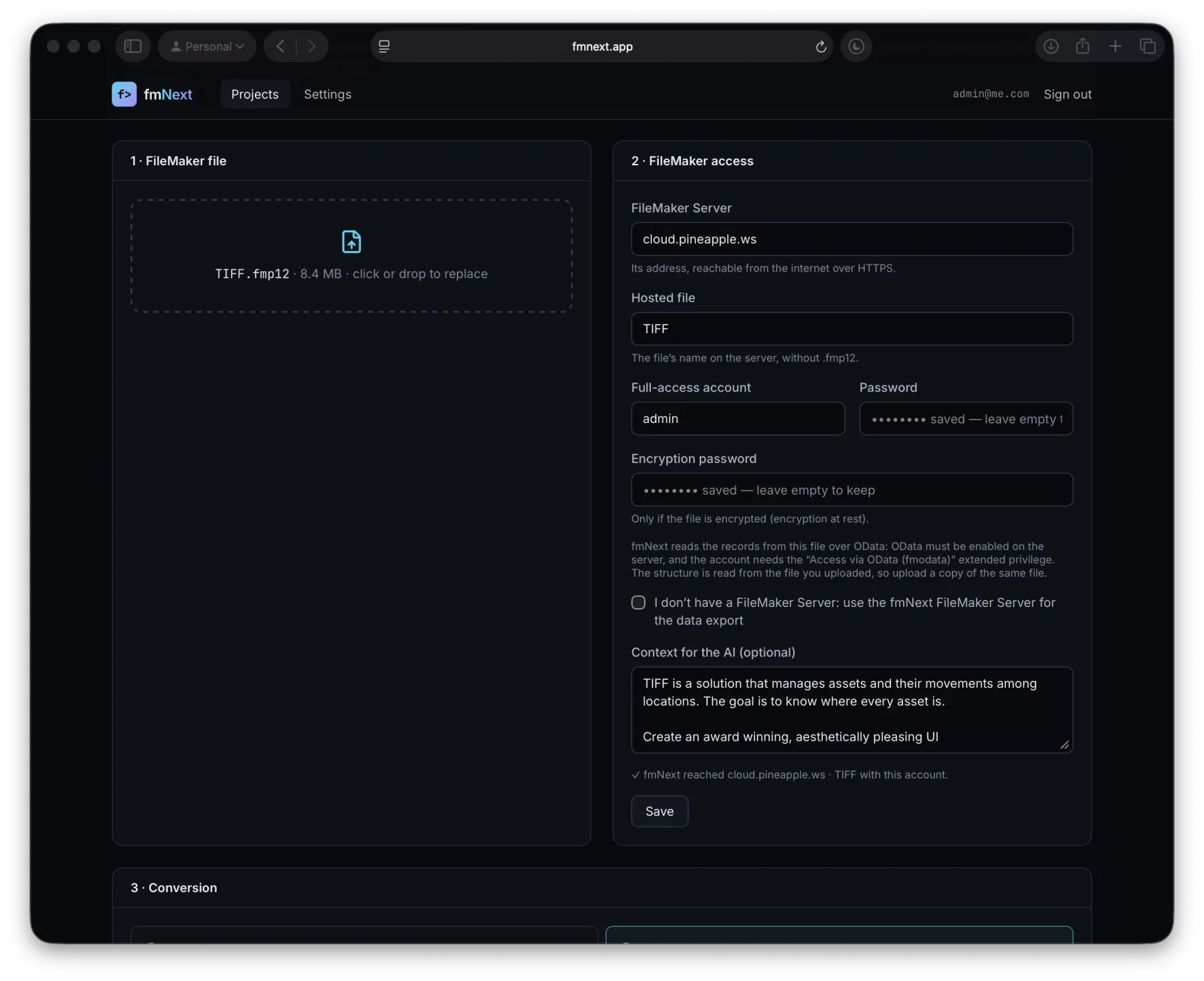
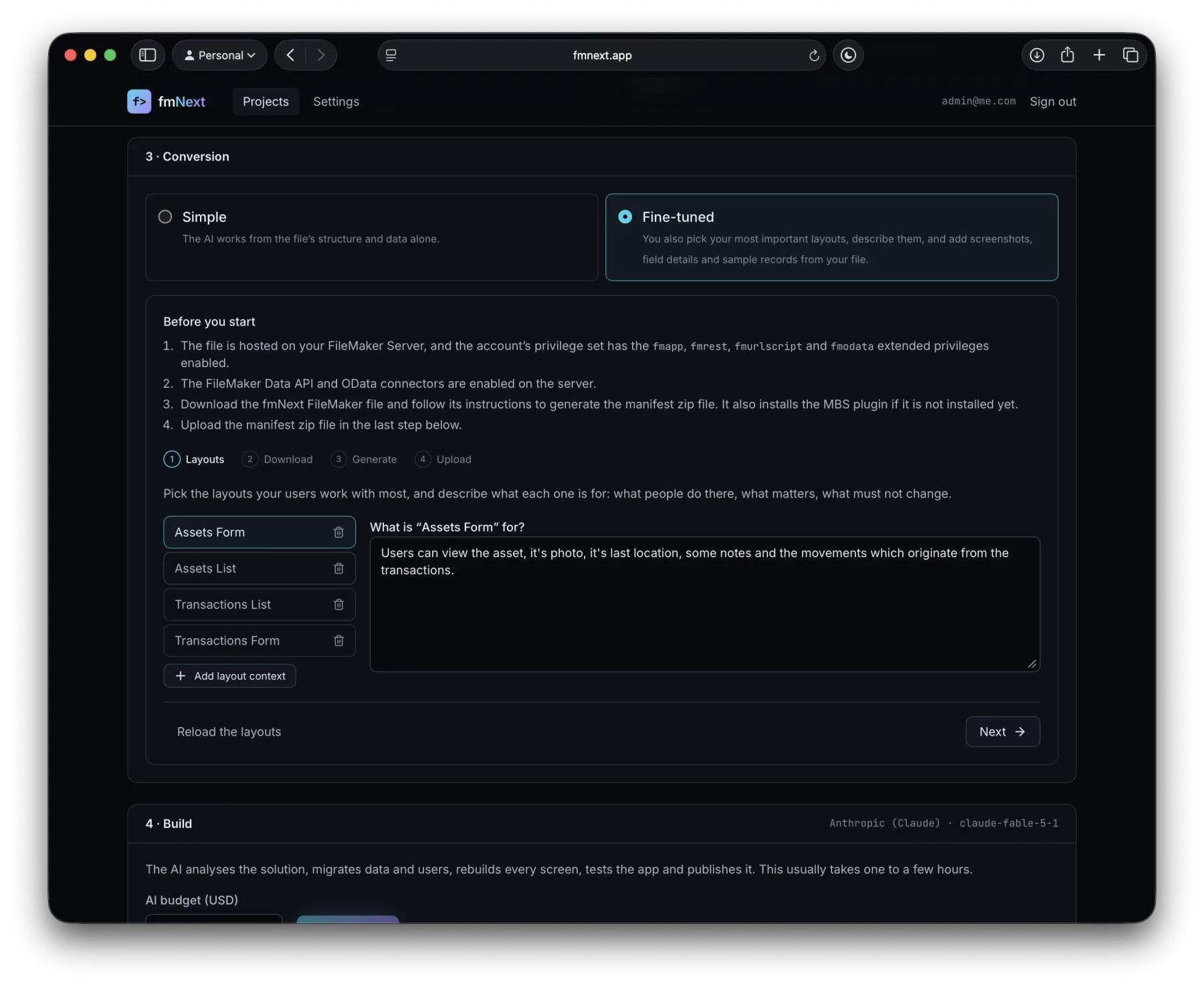
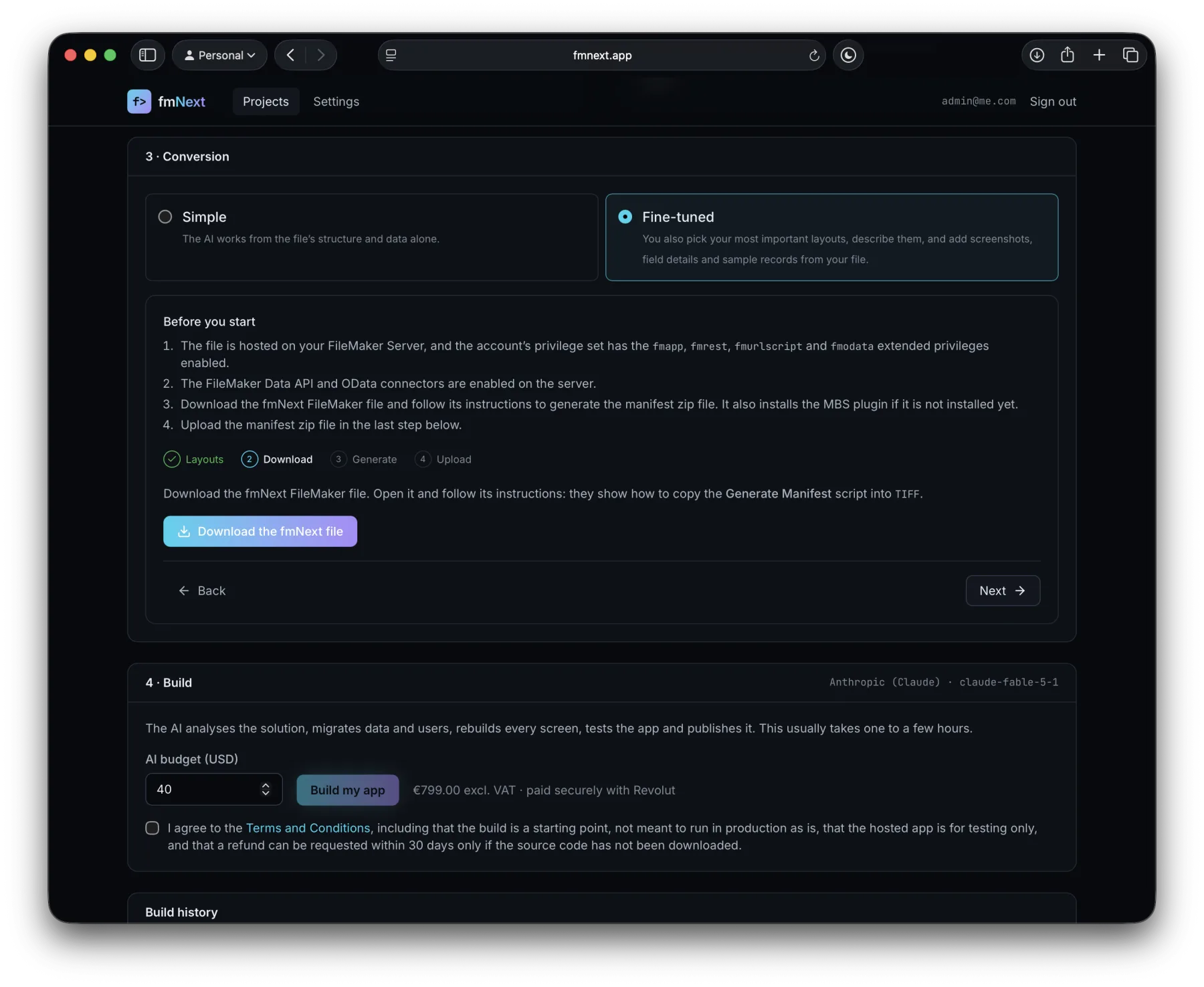
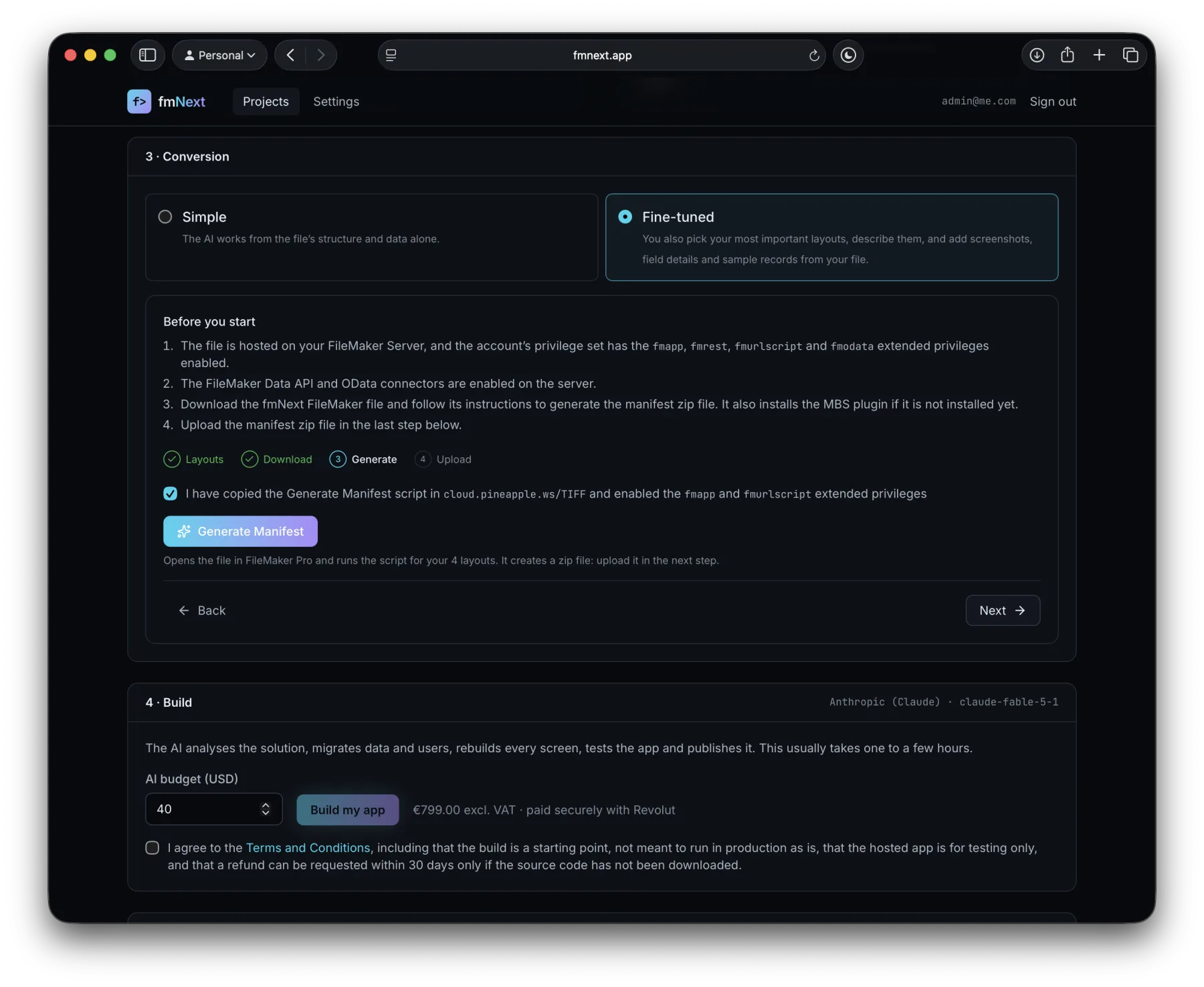
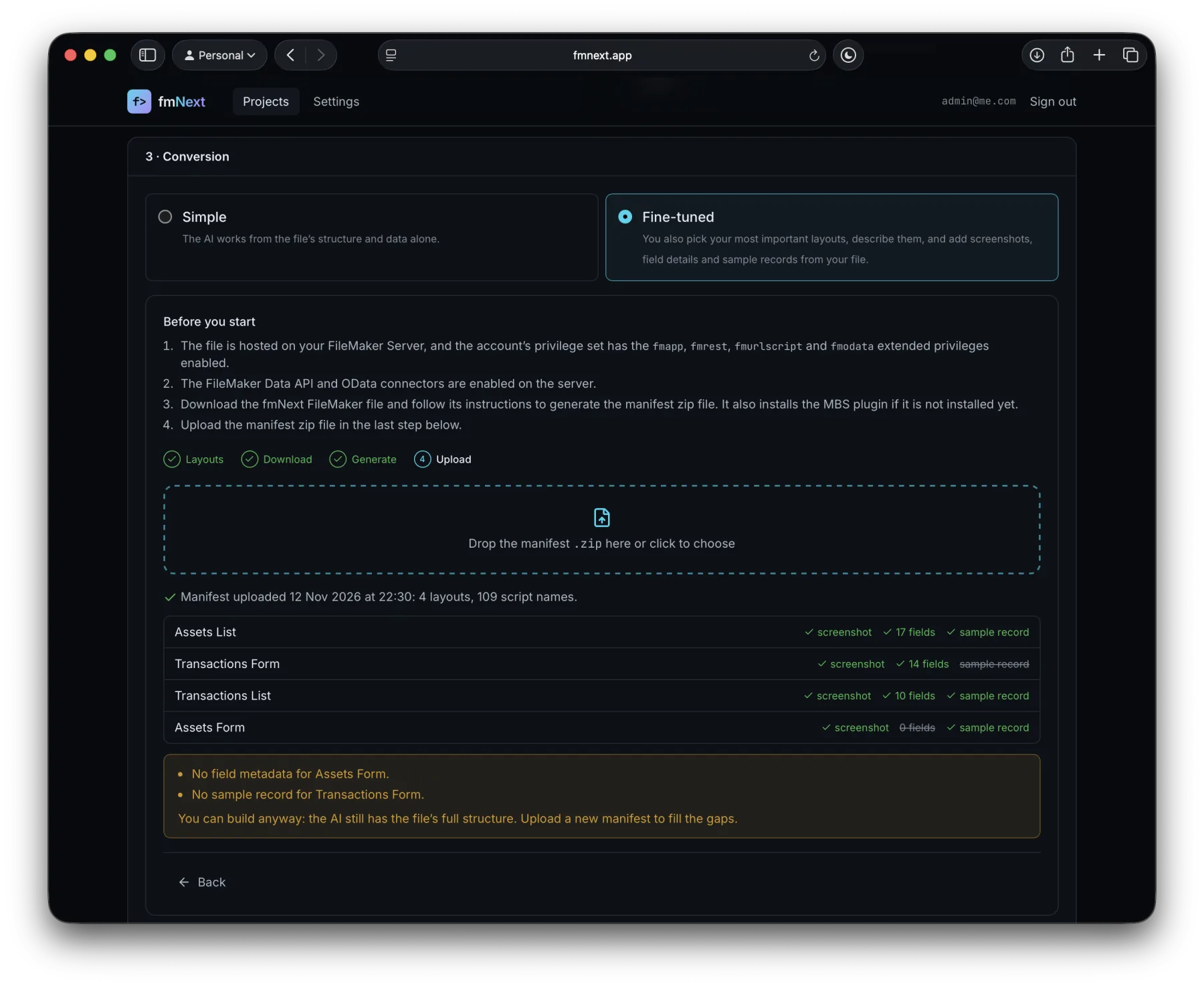
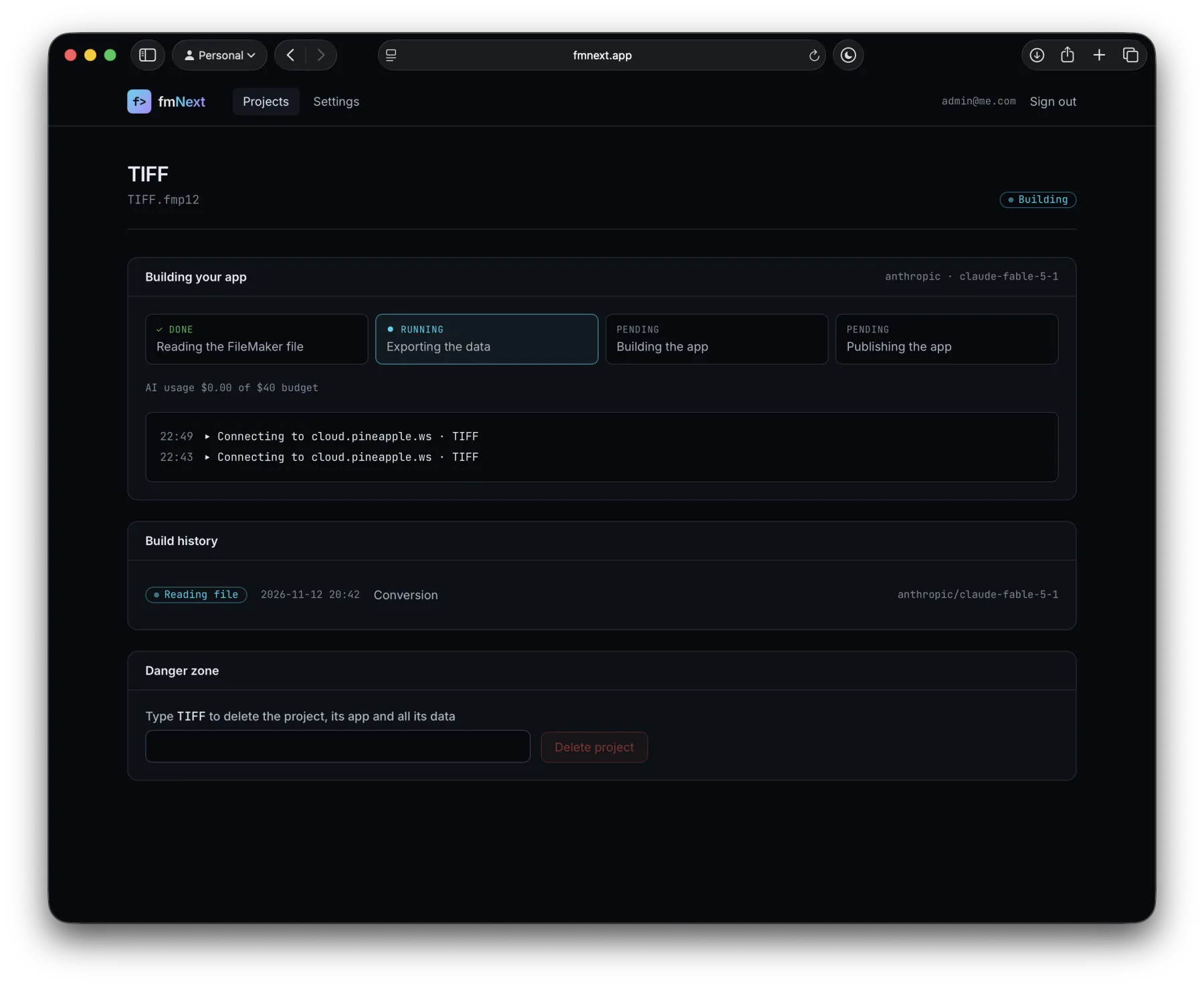
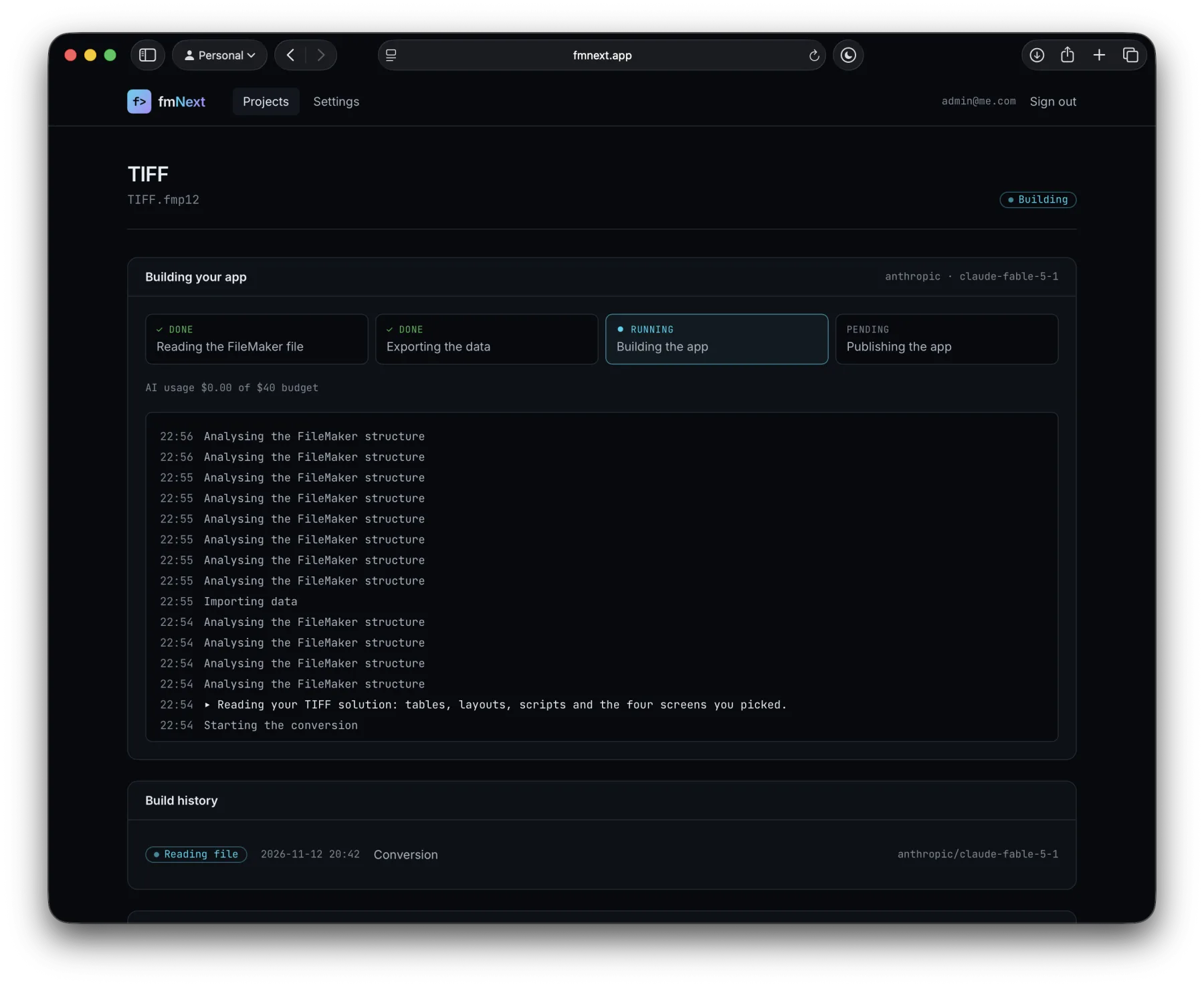
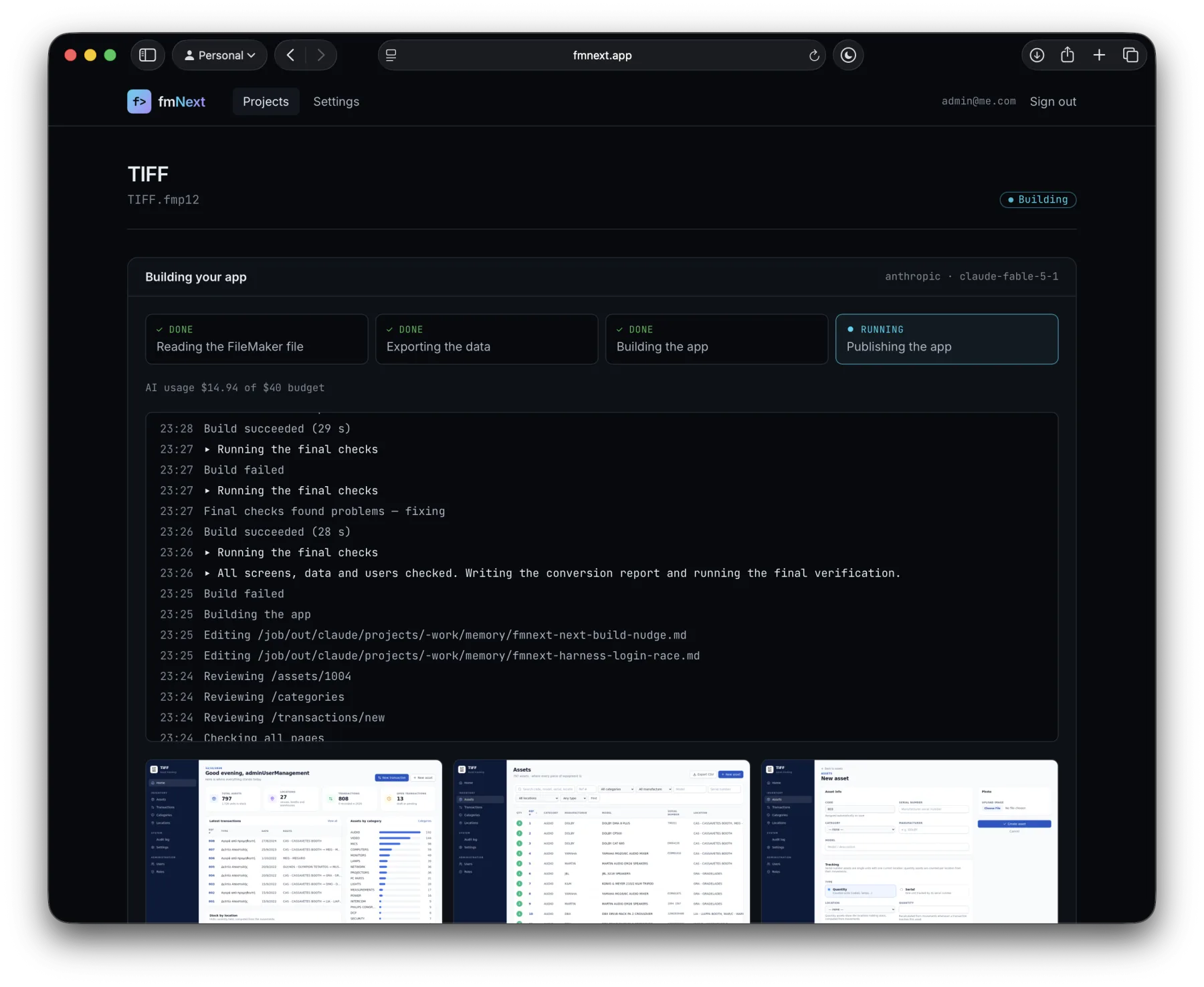
01 / 08
Upload the file and connect your server
Upload the .fmp12 file and enter the FileMaker Server that hosts it. fmNext checks that it can reach the file.
The same screens, in FileMaker and on the web
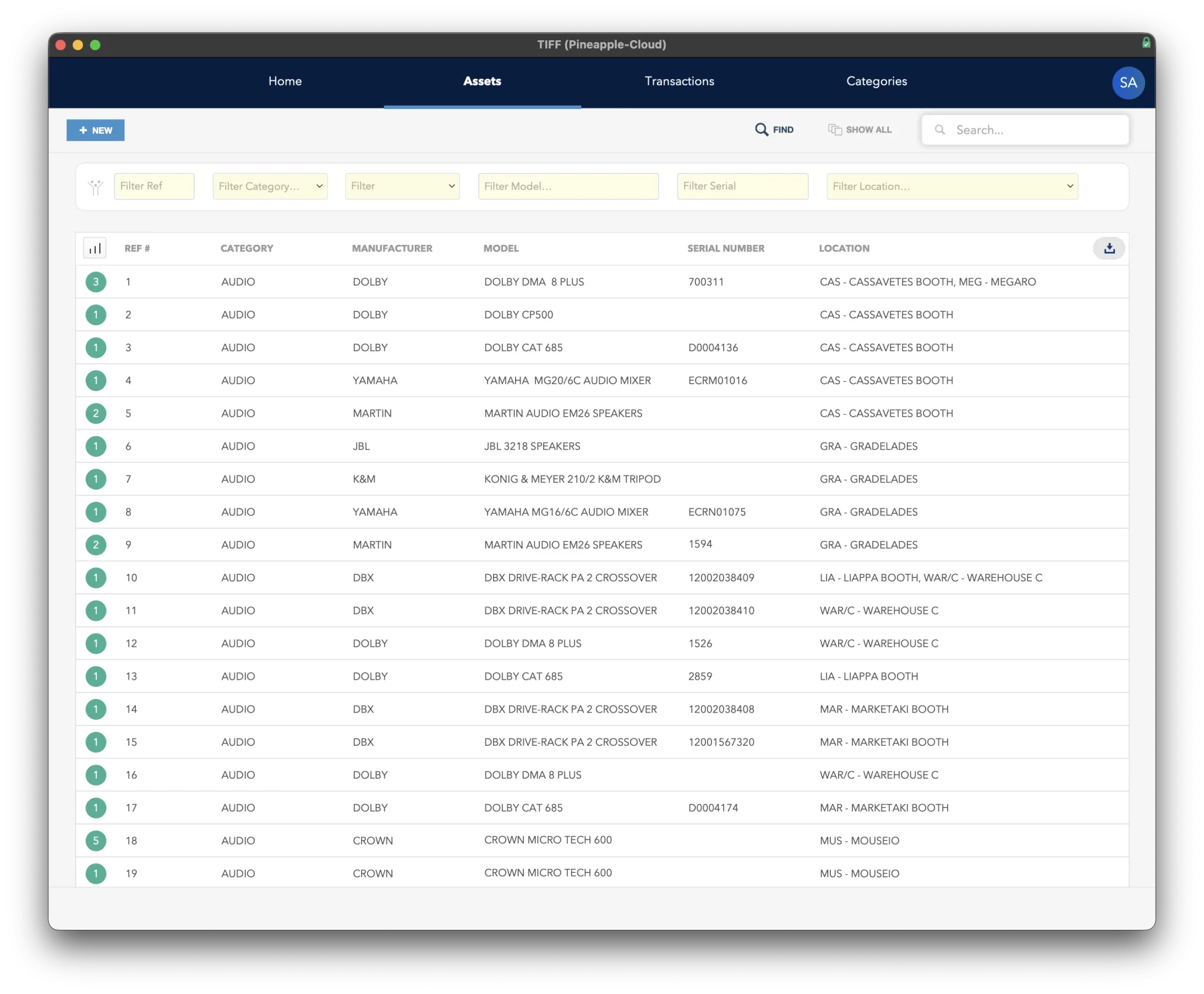
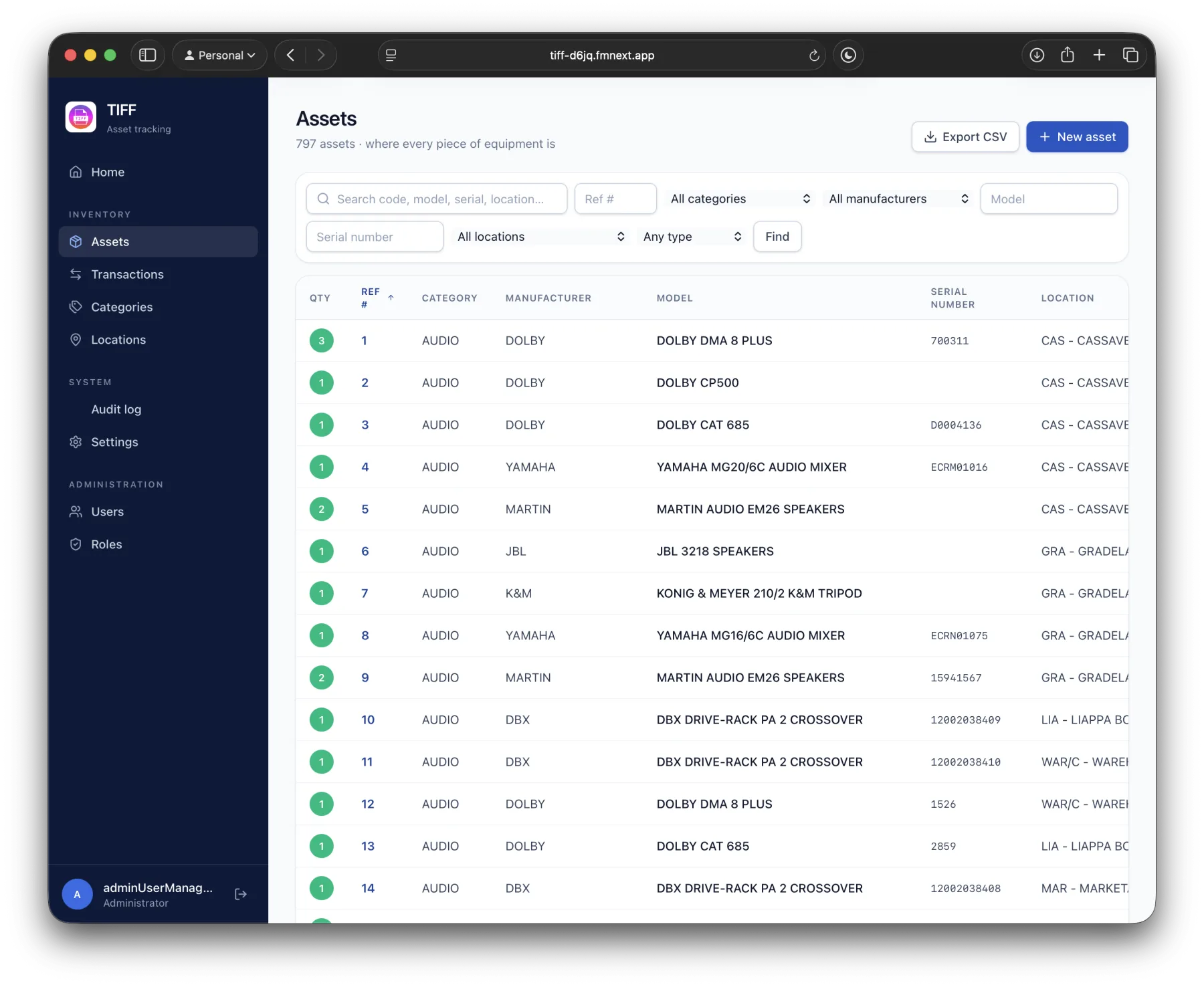
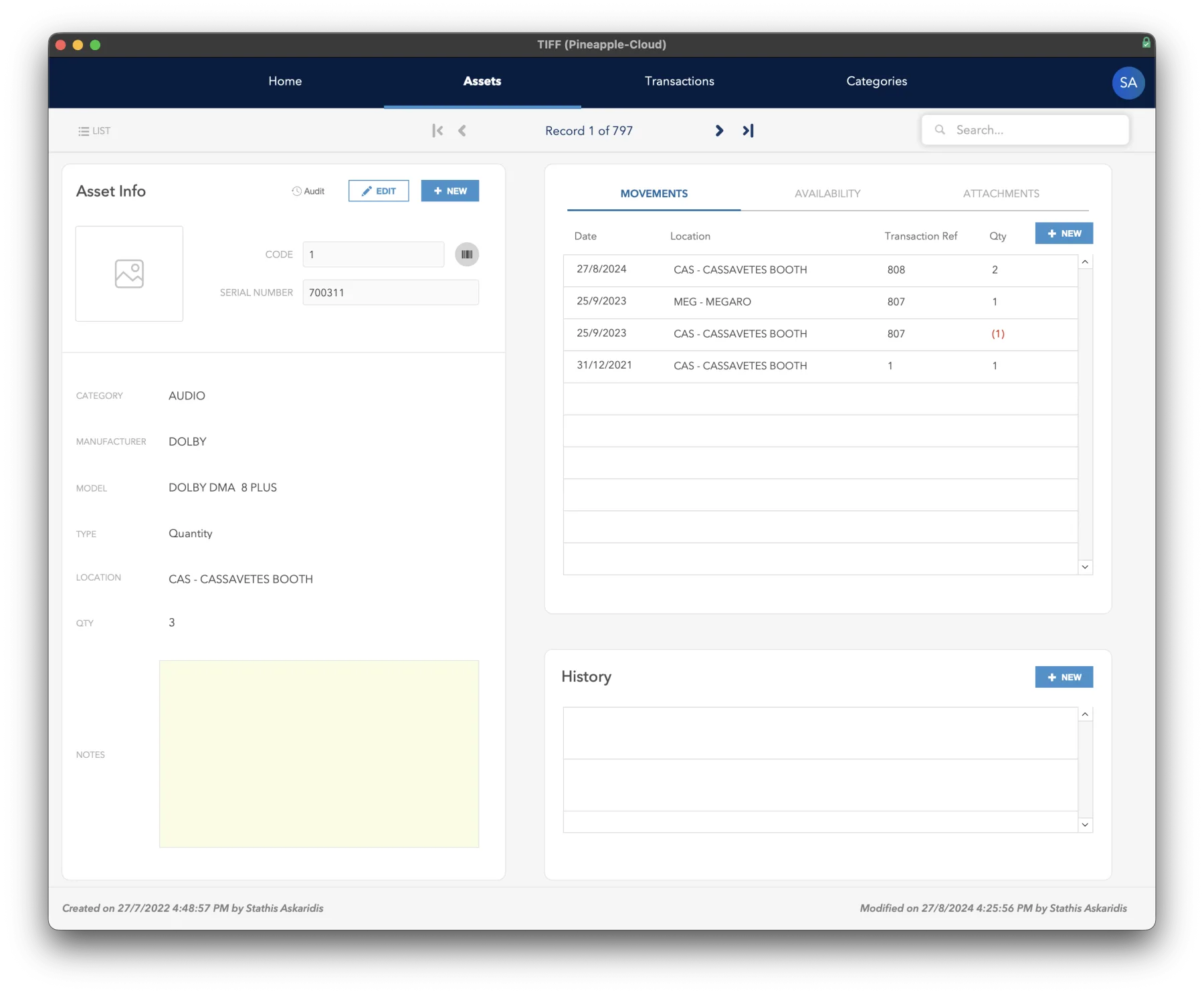
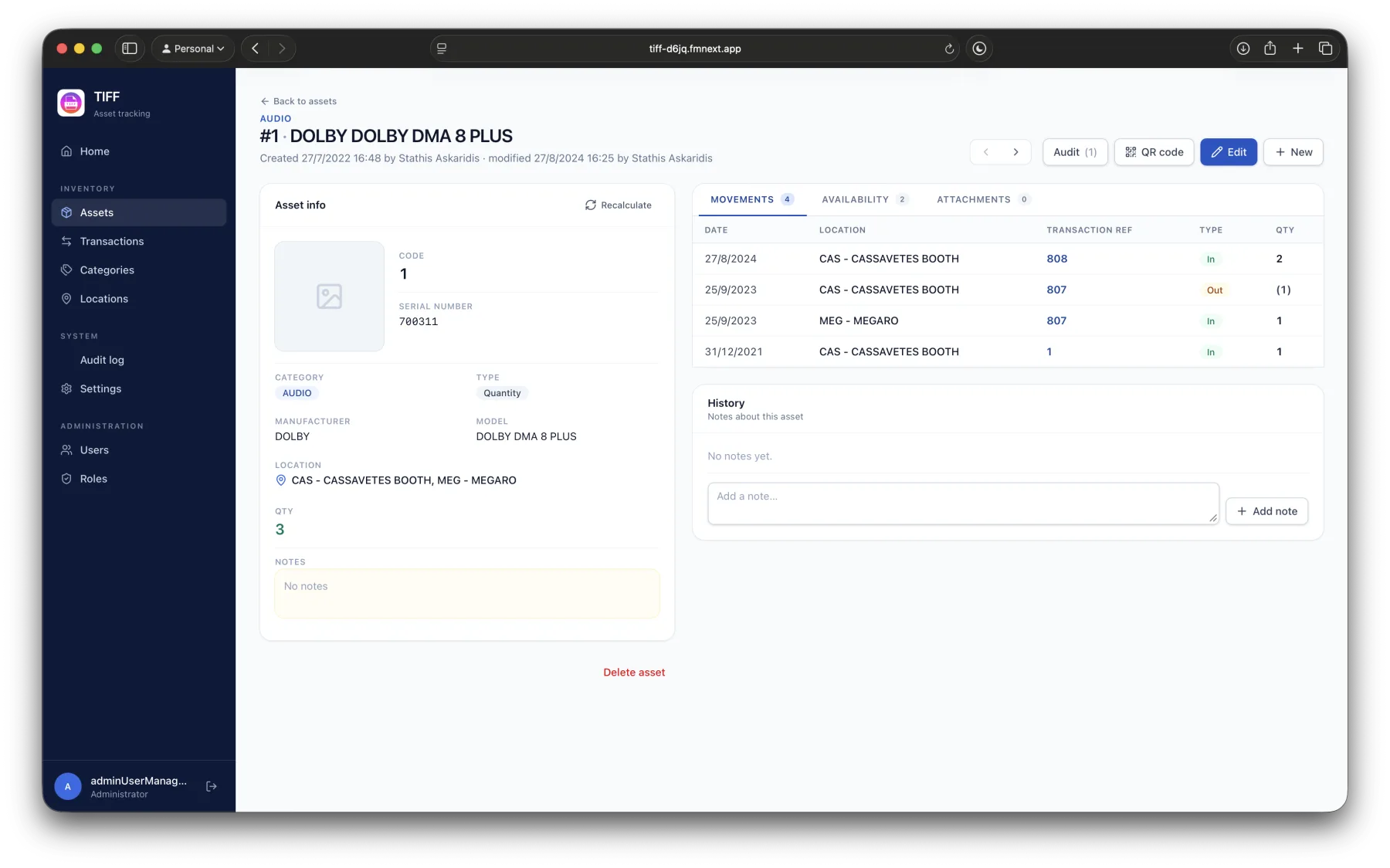
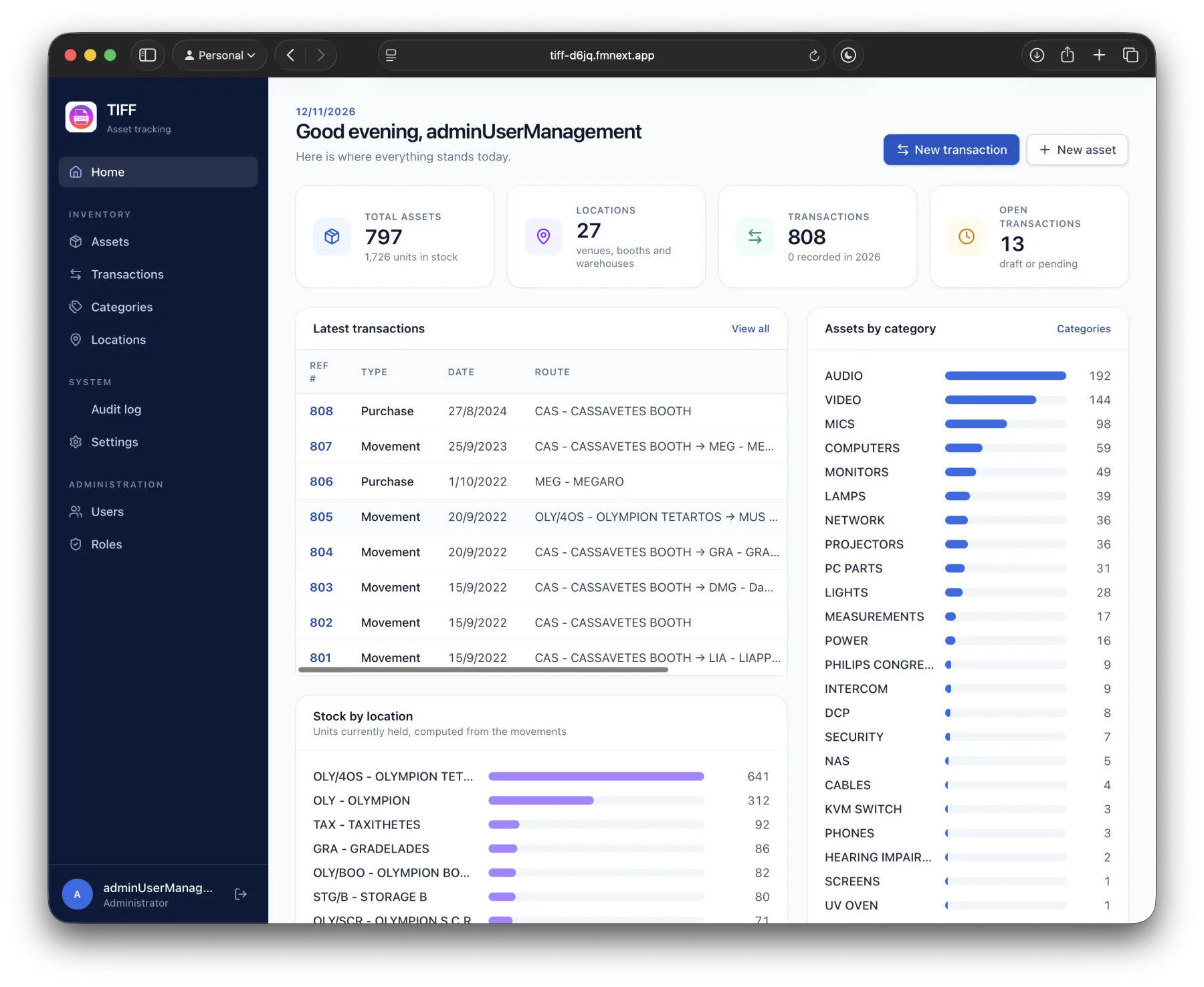
TIFF is an asset-tracking solution: 797 pieces of equipment and their movements between 27 venues, booths and warehouses. This is the app fmNext built from the file, next to the FileMaker layouts it came from.
- →797 assets
- →808 transactions
- →27 locations
- →4 layouts described for the fine-tuned conversion
Asset list
The same columns, quantities and filters, now with sorting, CSV export and a search across code, model, serial number and location.
Asset form
The asset’s details, its movements portal and its history, kept together on one page. The movements come from the same transactions as in FileMaker.
A home screen that knows the data
The app opens on a dashboard built from the migrated records: totals, the latest transactions, assets by category and stock by location.
All your data
Every record and container file in PostgreSQL, counts verified table by table.
Logic, not just screens
Relationships, calculations, validation and button scripts become server code.
Users & roles
Privilege sets become roles; FileMaker accounts and your own user table become one user list.
Your AI, your key
Bring an Anthropic or OpenAI key and pick the model. You see exactly what the AI work costs.
Version control
Each build is a tagged git version. Download the source of any version.
Modern & yours
Next.js, TypeScript, Prisma, Postgres in Docker — standard code you can keep developing.
Simple pricing
Pay per conversion. The AI runs on your own Anthropic or OpenAI key, so model usage is billed by them, transparently, with a budget you set.
For businesses only. Greek companies pay 24% VAT; other EU companies with a VIES-registered VAT number are reverse charged.
Change requests: included.
Start a conversion- →Full analysis of the solution
- →Data, containers and users migrated
- →Screens, relationships and business logic rebuilt
- →Automated build, page and data checks
- →Hosted test app with HTTPS at its own address
- →Versioned source code download
- →Conversion report: what changed and why
- →Your Intellectual Property stays yours
- →Production deployment on request
Complex solution? Our engineers convert it by hand.
We automated the whole conversion process. Imagine how good we are when we do it manually.
If your file is too complicated for an automated build, or your solution is spread over several files, contact us and we will convert it the proper way: the same tools, in the hands of our team.
Talk to our teamMulti-file solutions
Several .fmp12 files linked through external data sources, brought together in one app and one database.
Large, complex files
Hundreds of tables, deep relationship graphs and heavy scripting, analysed and planned with you before we build.
Plug-ins and integrations
Plug-ins, external SQL sources, APIs and server-side scripts, rebuilt properly instead of left as notes.
Ready for production
Review, testing, a cut-over plan for your data and a production server, delivered by our team.
Moving away from FileMaker: questions and answers
More detail in the FileMaker migration guide.
How do I convert a FileMaker solution into a web app?
+
Upload your .fmp12 file to fmNext with a full-access account. fmNext extracts the complete structure (tables, fields, relationships, layouts, scripts, privilege sets) and exports your records through OData. Using AI inside a specialised harness, fmNext then rebuilds the solution as a Next.js and TypeScript web application on PostgreSQL, migrates your data and users, tests every page and publishes a hosted test version at its own HTTPS address.
Can I convert a FileMaker file to a web app without writing code?
+
Yes. With fmNext you do not write or read any code: you upload the .fmp12 file, enter a full-access account, and receive a working web app at its own HTTPS address. You ask for changes in plain language and each request becomes a new version. The result is still real source code (Next.js, TypeScript, PostgreSQL) that you own and can download, so you are not locked into a no-code platform.
What do I need to convert a FileMaker file with fmNext?
+
The .fmp12 file, a full-access account for it (and the encryption password if the file is encrypted), and an API key from Anthropic or OpenAI, which the AI work is billed to. If the file is hosted on your own FileMaker Server, fmNext reads the records from it over OData; if you have no server, fmNext can host a temporary copy for the export.
How long does it take to convert a FileMaker file to a web app?
+
Usually one to a few hours from upload to a running app, depending on how many tables, layouts and scripts the solution has. The conversion runs unattended and you can follow its progress.
How do I move away from FileMaker without losing my data?
+
fmNext exports every record and container file from your FileMaker file and imports them into PostgreSQL, then checks the record counts table by table. FileMaker accounts and user tables become users of the new app, and privilege sets become roles.
Can FileMaker be migrated to PostgreSQL?
+
Yes. Each FileMaker base table becomes a PostgreSQL table, relationships become foreign keys, and stored calculations, validation and auto-enter options become database or server logic. fmNext does this for you and delivers the database schema as versioned Prisma migrations.
What happens to my FileMaker scripts, layouts and calculations?
+
Layouts become web pages, portals become related lists, value lists become dropdowns, and the scripts behind buttons are rewritten as server code. Calculations are translated to TypeScript or SQL. Where something cannot be reproduced one to one, such as plug-in calls, it is documented in the conversion report.
Who owns the converted app and its source code?
+
You do. Your FileMaker solution, your data and the generated source code remain your intellectual property. You can download the source code of every version and keep developing it with any developer.
How much does a FileMaker to web conversion cost?
+
A conversion costs €799 per FileMaker file, excluding VAT. The AI runs on your own Anthropic or OpenAI API key, so the model usage is billed to you directly by the provider, with a budget you set.
Is the converted app ready for production?
+
The build is a strong starting point, not a finished production system: review and test it before you rely on it. The hosted app is for testing. When you are ready, request a production deployment and an fmNext technician will audit the project and set up a production server.
What technology does the new app use?
+
Next.js, React, TypeScript, Prisma and PostgreSQL, packaged with Docker. It is standard, widely used open-source technology that any web developer can maintain.
Your solution is your Intellectual Property.
See it work before you share it.
Book a demo and we convert a sample solution live, walk you through the generated code and the security model — no upload required.
Book a demo- A live conversion of a sample solution, from upload to running app
- A walk through the generated code and how you keep developing it
- How your file, data and credentials are handled and deleted
- No file, no upload, no commitment